A free Discord alternative
baff.gg works the way Discord does: servers, text and voice channels, roles, DMs and bots. The difference is what it costs. The extras Discord sells in Nitro and server boosts are free here, for everyone.
What’s free here that you pay for on Discord
Discord’s side is from discord.com/nitro and Discord’s Help Center, checked in October 2026.
Screen share at Source quality, 60 FPS
Share a game or a window at up to 4K or its own resolution, at 15, 30 or 60 FPS, with sound.
On Discord, free accounts stream up to 720p at 30 FPS. More needs Nitro.
Custom emoji everywhere
Use any server’s emoji, stickers and soundboard sounds in every server you’re in and in DMs. Every server starts with 150 emoji slots, still or animated in any mix.
On Discord, using emoji outside their server needs Nitro, and a server starts with 50 still and 50 animated.
Server boosts for everyone
Every account gets 2 boosts. Your own two put a server at level 1, and seven people boosting get it to level 3, which unlocks more emoji, bigger uploads, better voice quality, role icons and a custom invite link.
On Discord, boosts are a paid monthly add-on. Nitro includes 2.
Bigger uploads with free boosts
Files are up to 10 MB each, 50 MB in level 2 servers and 100 MB in level 3 servers.
Here Discord is ahead: its free limit is 20 MB, and Nitro gets you up to 1 GB anywhere. On baff.gg you get more by boosting the server, not by paying.
Profiles that look like yours
A GIF avatar, a profile banner, theme colors, and a different avatar, banner, bio and nickname in each server.
On Discord, animated avatars, banners, profile themes and per-server profiles need Nitro.
A way out of Discord
Migrate a Server copies your Discord server’s setup in a few minutes, and your members can get their Discord roles back.
It feels familiar on purpose
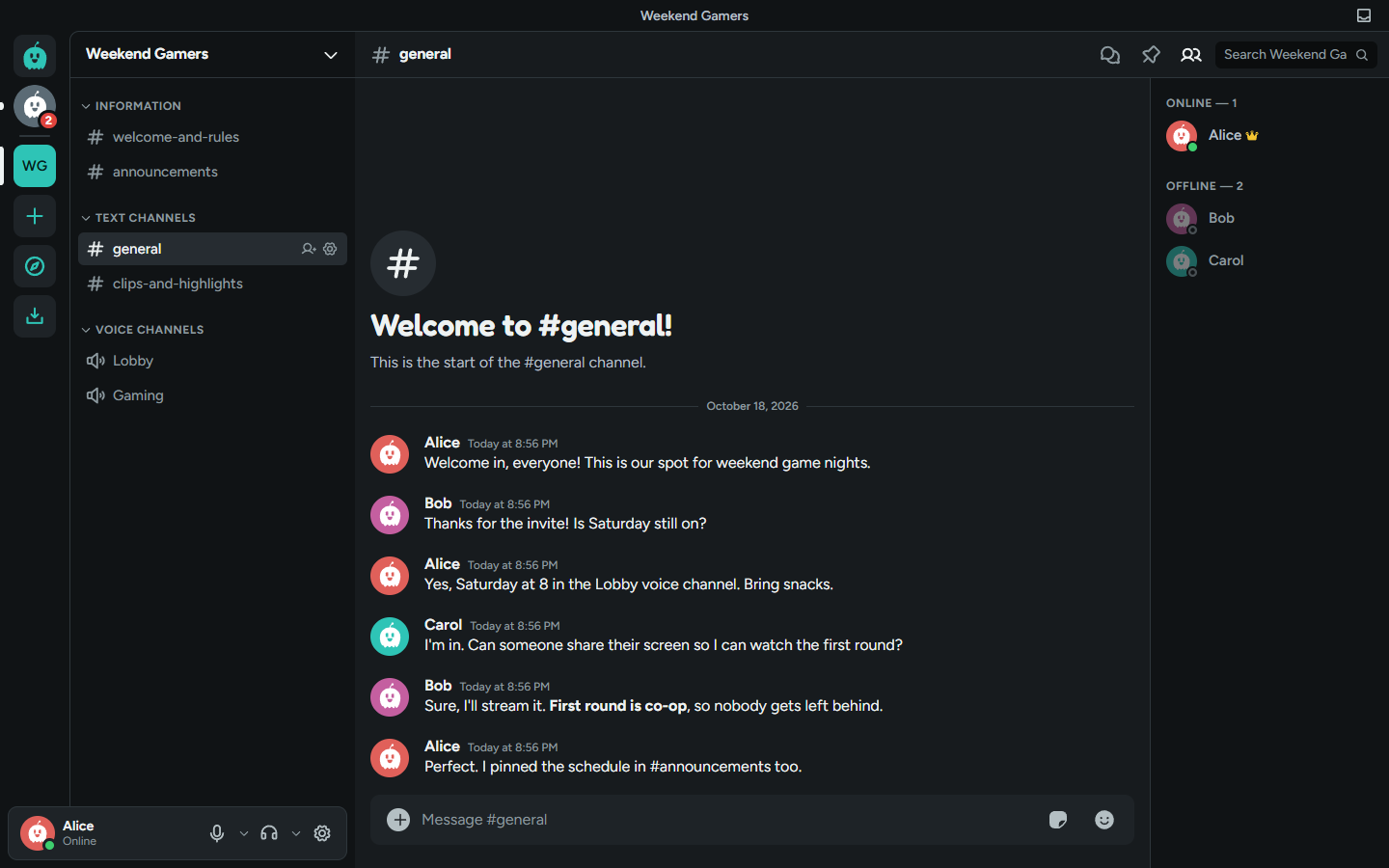
The server list on the left, channels next to it, the chat in the middle and members on the right. Replies, threads, forum channels, stage channels, pins, mentions, markdown and slash commands all work how you expect, so nobody in your server has to learn a new app.
baff.gg has its own look and its own mascot, Baff, and runs in the browser, as a desktop app for Windows, macOS and Linux, and from your phone’s home screen.
Moving a server takes a few minutes
- In baff.gg, open Add a Server > Migrate a Server > Migrate from Discord to get a code.
- Add the baff.gg bot to your Discord server (it asks for no permissions) and run /migrate with the code.
- Pick what comes over: roles, channels, permissions, emoji, the icon. Your new server builds itself.
- Send your members the invite link. They can link Discord to get their roles back.






What baff.gg doesn’t have yet
- Apps in the App Store or Google Play. Phones use the website, added to the home screen.
- Screen sharing on iPhone and iPad.
- Your old messages. Migrating copies a server’s setup, not its history.
- Years of polish and millions of people. baff.gg is in alpha and made by a very small team.
Questions people ask
- Is baff.gg really free?
- Yes. There is no paid plan and nothing on this page is locked behind one. Every account gets two server boosts at no cost, and there is no way to buy more with money.
- Is there a baff.gg version of Nitro?
- No. The things Discord sells in Nitro that baff.gg has, like screen share at 60 FPS, emoji from other servers, animated avatars and profile banners, are simply on for everyone.
- Can I move my Discord server to baff.gg?
- Yes. Add a Server > Migrate a Server copies your Discord server’s channels, categories, roles, permissions, icon and up to 150 custom emoji. Messages and members stay on Discord, so you invite people again with a link.
- Do my members keep their roles?
- In a migrated server, members can link their Discord account and get back the roles they had on Discord, with the matching names and colors.
- Does it work on my phone?
- Yes, in your phone’s browser. Add it to your home screen and it opens full screen with its own icon and push notifications. There is no App Store or Google Play app yet.
- Can my Discord bot run on baff.gg?
- Not unchanged, but it will feel familiar: baff.gg bots use slash commands, buttons, select menus, modals and embeds shaped like Discord’s, and the docs at docs.baff.gg cover the differences.
- Is baff.gg finished?
- No. It is in alpha and changes most days. Expect rough edges, and tell us about them through the Help Center.